
Home/Marketplace
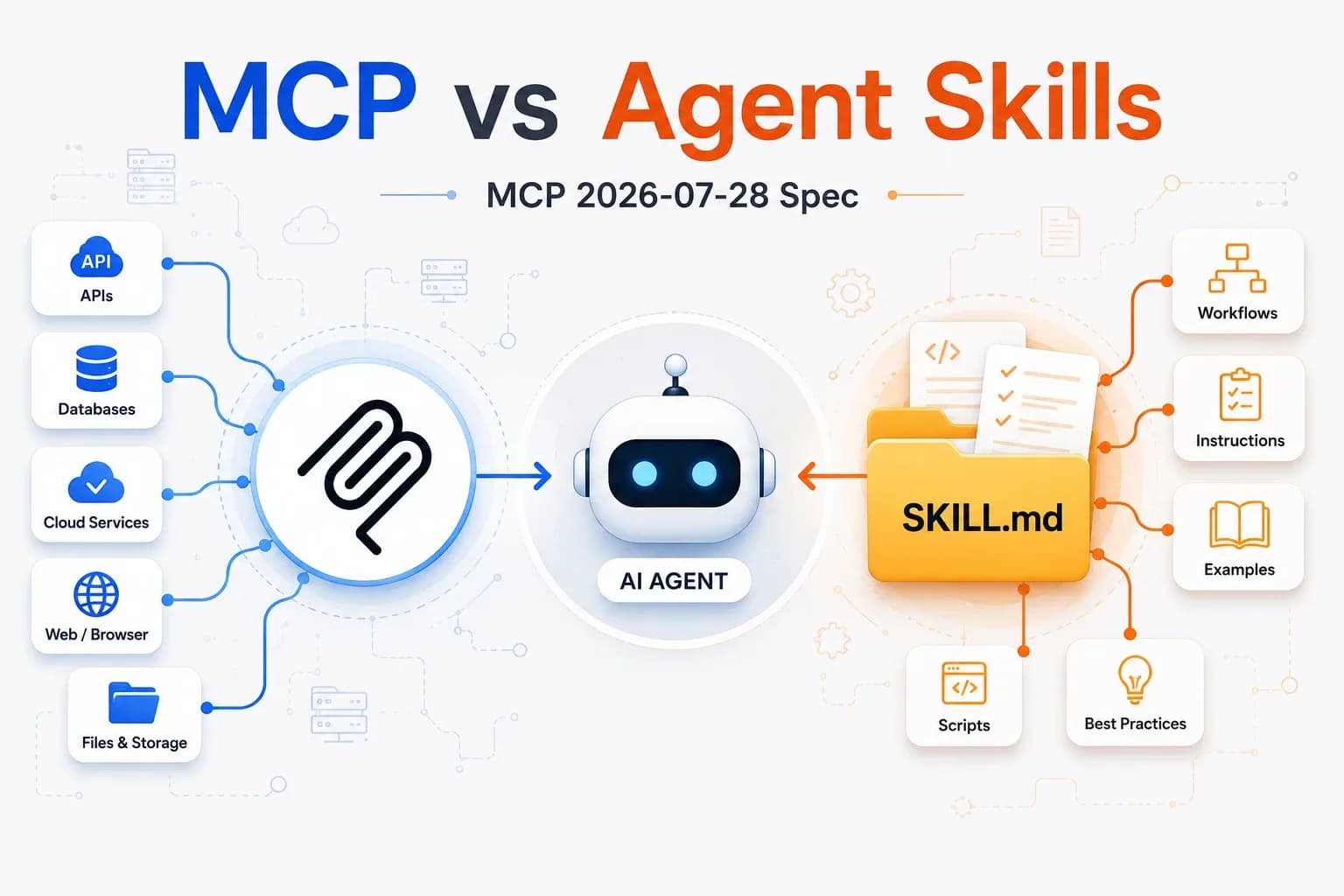
Diagram comparing MCP connectors and Agent Skills around an AI agent

Marketplace

36 resources available

MCP connectors, skills and agents

The i2Business catalog of AI resources. Filter by type or search for a keyword to find the right building block for your needs.

Social media scheduler0
i2Bi2BusinessGenerates editorial calendars and ready-to-publish posts for Facebook, Instagram and LinkedIn, tailored to your brand, industry and market. The skill first asks for your brand context and never invents products or promotions.
MarketingSkills
SEO content writer2
i2Baaron-he-zhu, via i2BusinessSEO writing skill: articles, guides, landing pages and product pages optimized for a keyword, with titles, meta description, H1-H3 hierarchy, FAQ for rich snippets and self-assessment. Third-party project under the Apache 2.0 license, in English (writes in other languages on request).
MarketingSkills
SEO backlink emails1
i2Bi2BusinessWrites personalized outreach emails to earn backlinks and editorial partnerships: guest posts, link insertions, brand mentions, linkable resources, with a follow-up at D+7. The skill first asks for your site's context, never invents targets and sends nothing.
MarketingSkills
SEO content audit0
i2Bi2BusinessAudits an already written SEO article or content (text, file or URL) with the A.U.G.M.E.N.T.E.D framework: five steps scored out of 100, an 80-point pass threshold, with strengths, weaknesses and before/after recommendations. Also detects AI writing tics.
MarketingSkills
SEO E-E-A-T article writing1
i2Bi2BusinessWrites an SEO-optimized article, web page, white paper or product page with the A.U.G.M.E.N.T.E.D method: keyword framing, expert panel scoring out of 10, positive-constraint outline, 5-question interview, JSON metadata, E-E-A-T self-audit and human editing.
MarketingSkills
Live Meta Ads diagnostic1
i2Bi2BusinessGenerates an interactive React file for a live Meta Ads diagnosis: it queries your ad account via the Meta Ads MCP, then displays campaigns, ad sets and ads with verdicts (Keep, Watch, Cut), video retention (25, 50 and 90% of reach), action priorities and structural alerts.
MarketingSkills
Meta Ads audit1
i2Bi2BusinessFull Meta Ads (Facebook and Instagram) performance audit via the Meta Ads MCP: four-level analysis (account, campaign, ad set, ad), Keep or Cut decisions, video retention diagnosis, action plan and cross-campaign benchmark, in a shareable interactive HTML report.
MarketingSkills
Lead magnet creator1
i2Bi2BusinessCreates complete lead magnets to capture qualified emails: practical guides, checklists, comparisons, mini-guides and expert FAQs, with written content and landing page copy. The skill first asks for your brand context and never invents products or technical advice.
MarketingSkills
SEO keyword research1
i2Bi2BusinessGenerate structured, prioritized SEO keyword lists for your site: search intents, topic clusters, top 5 opportunities and long-tail questions.
MarketingSkills
WooCommerce SEO product pages1
i2Bi2BusinessGenerate complete, SEO-optimized WooCommerce product pages: title, meta description, H1, long description, FAQ, calls to action and keywords.
MarketingSkills
Monthly SEO report from Search Console2
i2Bi2BusinessGenerate a monthly SEO report in Google Docs from Google Search Console: clicks, impressions, CTR, position, top 10 keywords and pages, indexing and trends.
MarketingSkills
SEO internal linking1
i2Bi2BusinessGenerate an internal linking strategy for your site: suggested links with placement and anchor text, summary table, pillar-cluster architecture and best-practice rules.
MarketingSkills
Google Ads campaign analysis1
i2Bi2BusinessAnalyze your Google Ads exports (CSV or Excel) and get a Word report: KPIs (CPC, CTR, ROAS, conversions), trends, performance by campaign and prioritized optimization recommendations.
MarketingSkills
Content optimizer2
i2Bi2BusinessAnalyzes and optimizes existing content on votre-boutique.com to improve SEO. Use this skill as soon as the user mentions: "optimize this page", "content refresh", "improve the SEO of", "update a…
MarketingSkills

Guide

Skills, agents and MCP connectors: which one to choose?

These building blocks extend Claude, Anthropic's AI assistant. They work together: an agent can rely on a skill, which itself reads your data through an MCP connector, and a plugin bundles them into a single pack.

Skills

A ready-to-use business recipe: instructions, templates and scripts that Claude loads automatically when your request matches.

When to use it: for a repetitive task with a well-defined result (report, dashboard, email, audit).

Install

  1. Download the .zip file.
  2. Claude (web or desktop): Settings → Capabilities → Skills → “Upload skill”.
  3. Claude Code: unzip it into ~/.claude/skills/.

Test

Make a request that matches the skill's description: Claude says it is using it. In Claude Code, you can also type /skill-name.

Agents

A specialized autonomous assistant that chains research and actions over several steps, then hands you a report.

When to use it: for an open-ended mission that requires exploring, comparing and reasoning before concluding.

Install

  1. Download the .md file.
  2. Copy it into ~/.claude/agents/ (Claude Code).
  3. Restart the session, then type /agents to see it listed.

Test

Ask “use the <name> agent to…” with a short task and check the report.

MCP

A connector that gives Claude secure access to your tools and data: ERP, email, payroll…

When to use it: when Claude needs to read or update your business data rather than files uploaded by hand.

Install

  1. A consultant sets up the access and permissions with you.
  2. Claude: Settings → Connectors → “Add custom connector”.
  3. Claude Code: the claude mcp add command.

Test

Ask a question that requires your data: Claude should call the connector and cite what it retrieved.

Plugins

A ready-to-install pack that bundles several agents and skills around the same business function.

When to use it: to equip Claude with a complete set in a single install, especially in Cowork.

Install

  1. Download the .zip file.
  2. Cowork (Claude desktop): import the .zip from plugin management.
  3. Claude Code: unzip it, then use /plugin to add it (or copy the agents/ folder into ~/.claude/agents/).

Test

Make a request that matches one of the pack's agents: Claude says it is using it.

Requirements: a Claude account (Pro, Max, Team or Enterprise plan) or Claude Code. Resources are provided as is; always review what a skill or an agent produces before sending or using it.

Can't find the right resource?

Our consultants build custom connectors and agents for your business context.

Talk to a consultant